Progress
Current hole and round progress from reported GPS and round data.

GOLFTAKT 3.0 · LIVE GROUPS FIRST
Player accompanies the golf round. Operations gives your club an anonymous live view of participating groups, progress and pace of play.
Start a round. Connect GPS. Understand course flow.
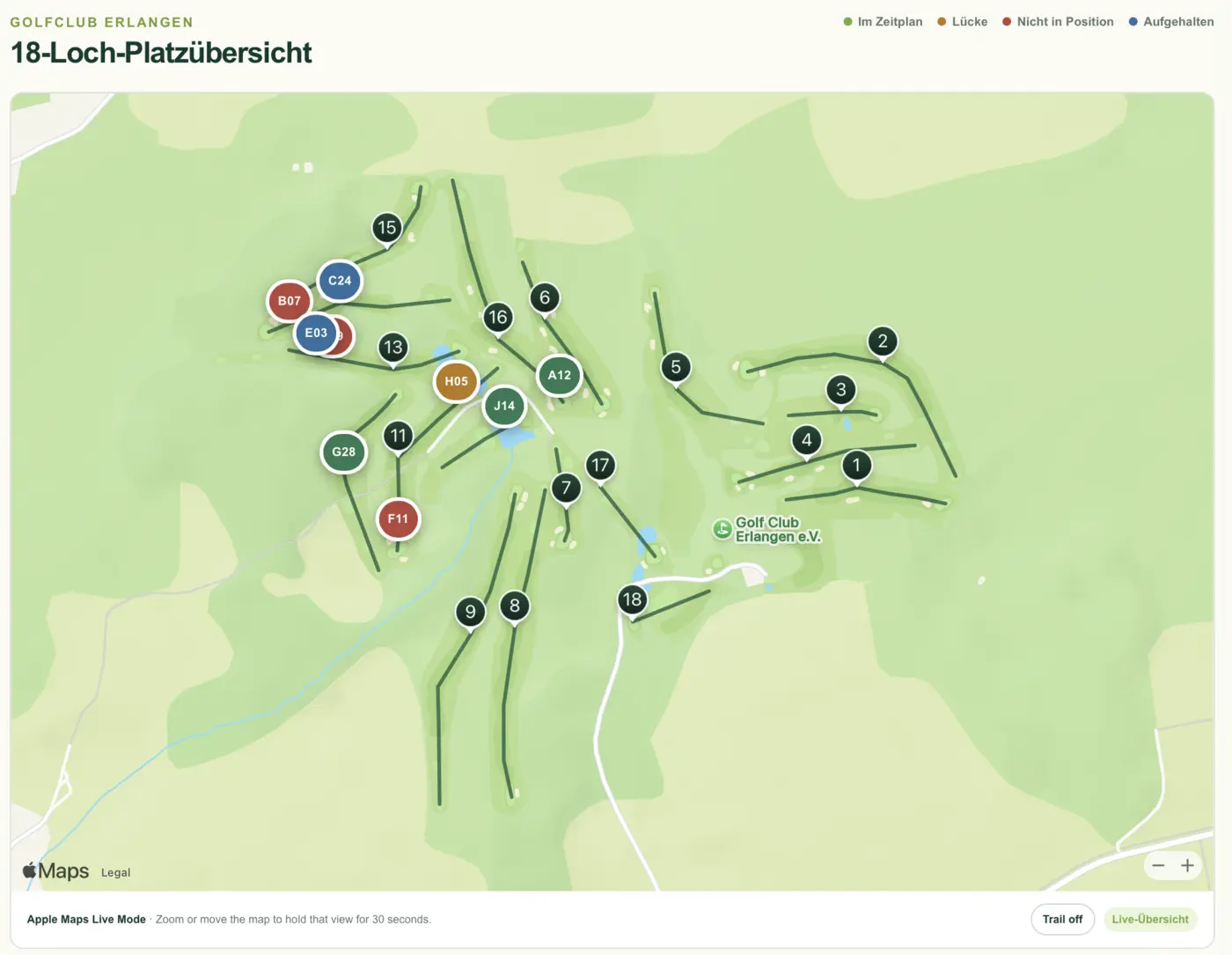
01 / WHAT GOLFTAKT SEES
A shared view of participating groups, so managers and marshals can focus their attention.
Current hole and round progress from reported GPS and round data.
See elapsed playing time and pace difference in context.
GPS status and the last update help distinguish fresh signals from older reports.
GolfTakt shows participating sessions. It does not automatically detect every golfer on the course.
02 / HOW IT WORKS
Golfers choose their course in Player and start their round themselves. No GolfTakt golfer account required.
At enabled clubs, GolfTakt checks the mapped course identity and GPS position against the configured course area.
Once the connection is confirmed, the session can appear automatically in Live Groups. No QR scan or tee-time booking through GolfTakt is needed.
Requires a compatible Player build, an enabled club with verified course mapping, valid GPS and a data connection. Personal rounds remain available elsewhere; a club connection is shown only after server confirmation.
03 / LIVE GROUPS FIRST
Course operations begin with actual rounds. Live Groups puts active, anonymous sessions first, with start, hole, progress and pace.
A GPS session is a signal about a participating round. Independently started phones are not automatically merged into one physical group.
Explore Operations →Illustrative example data. Not a product screenshot.
04 / FOR GOLFERS
Choose a course, start a round and follow progress and pace. The personal round comes first.
Links to the existing store listings. Player 3.0 for iPhone is in field testing; the Android upgrade to 3.0 is still in progress.
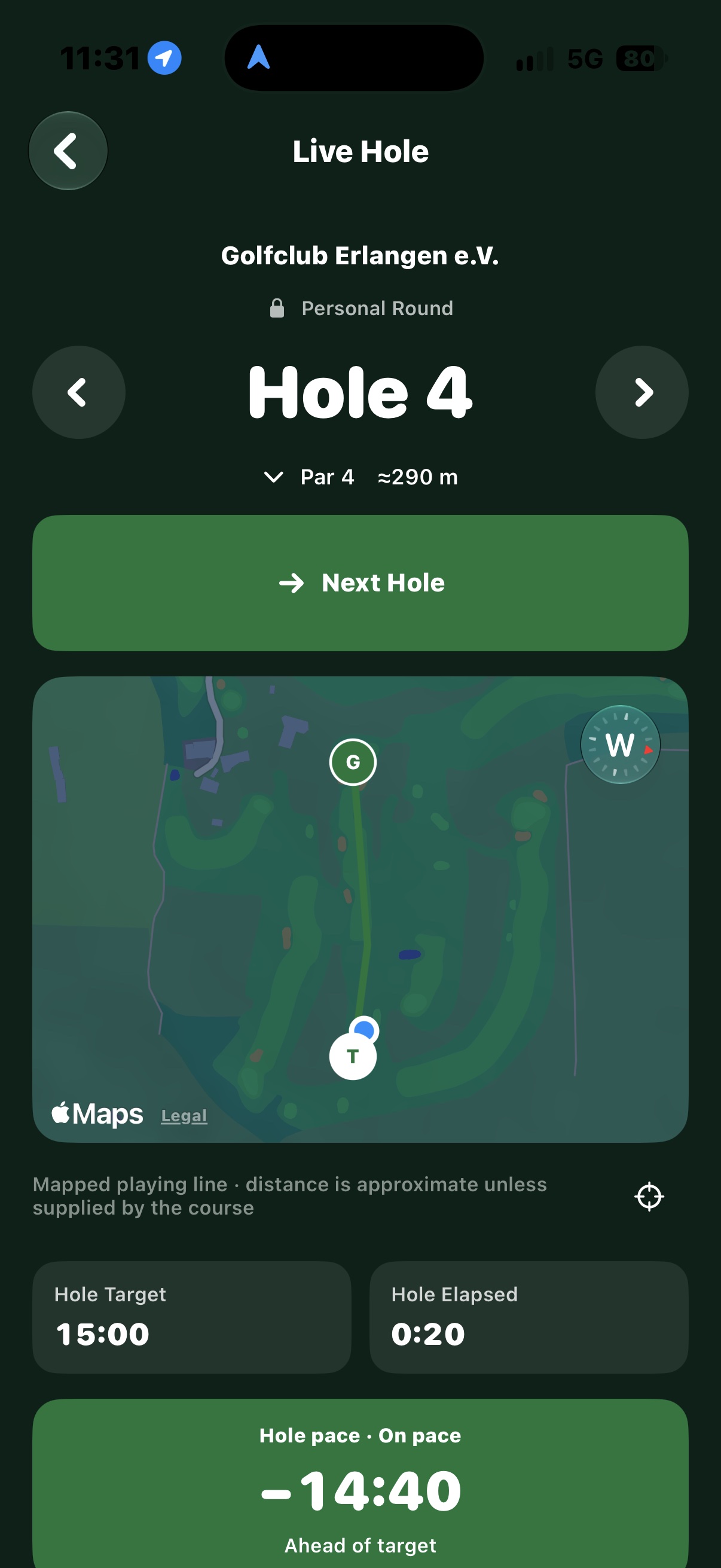
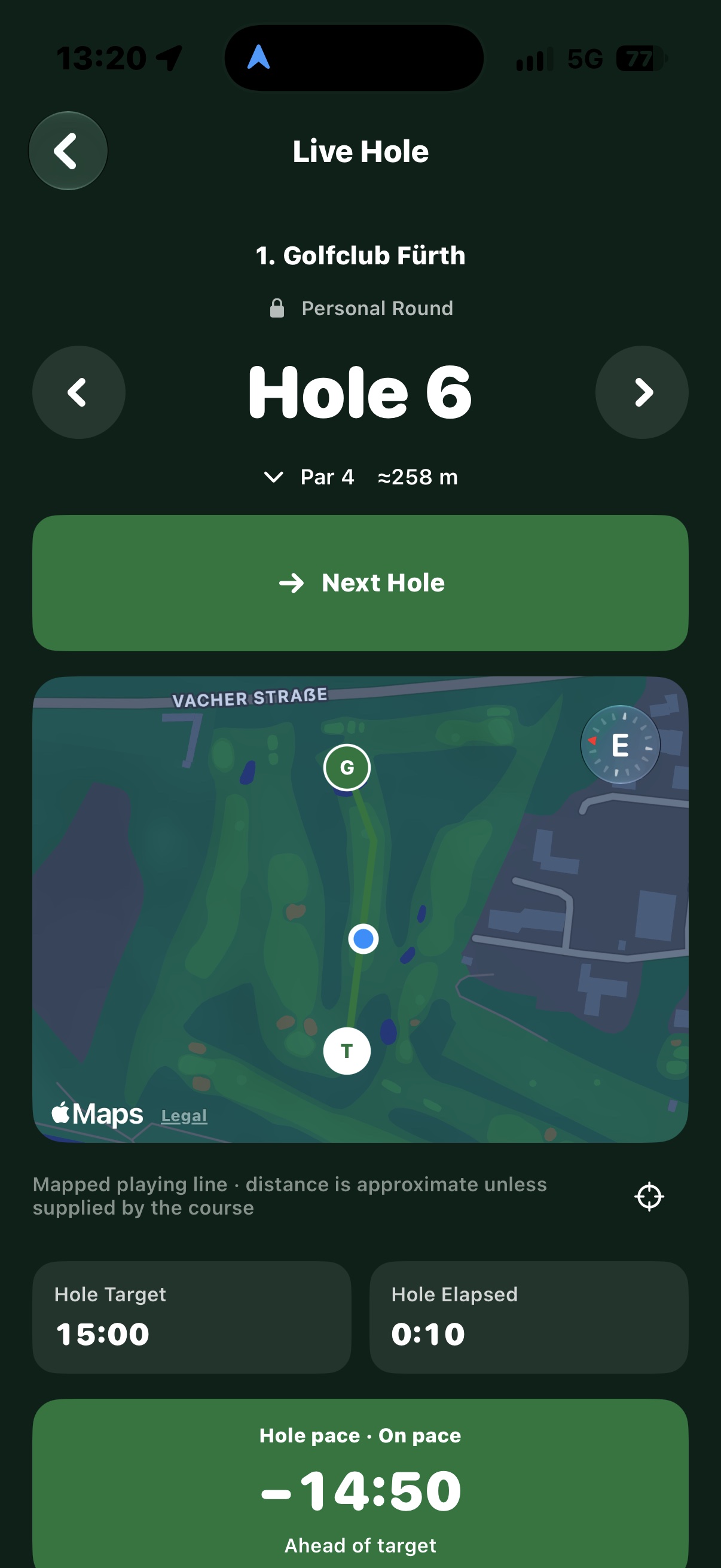
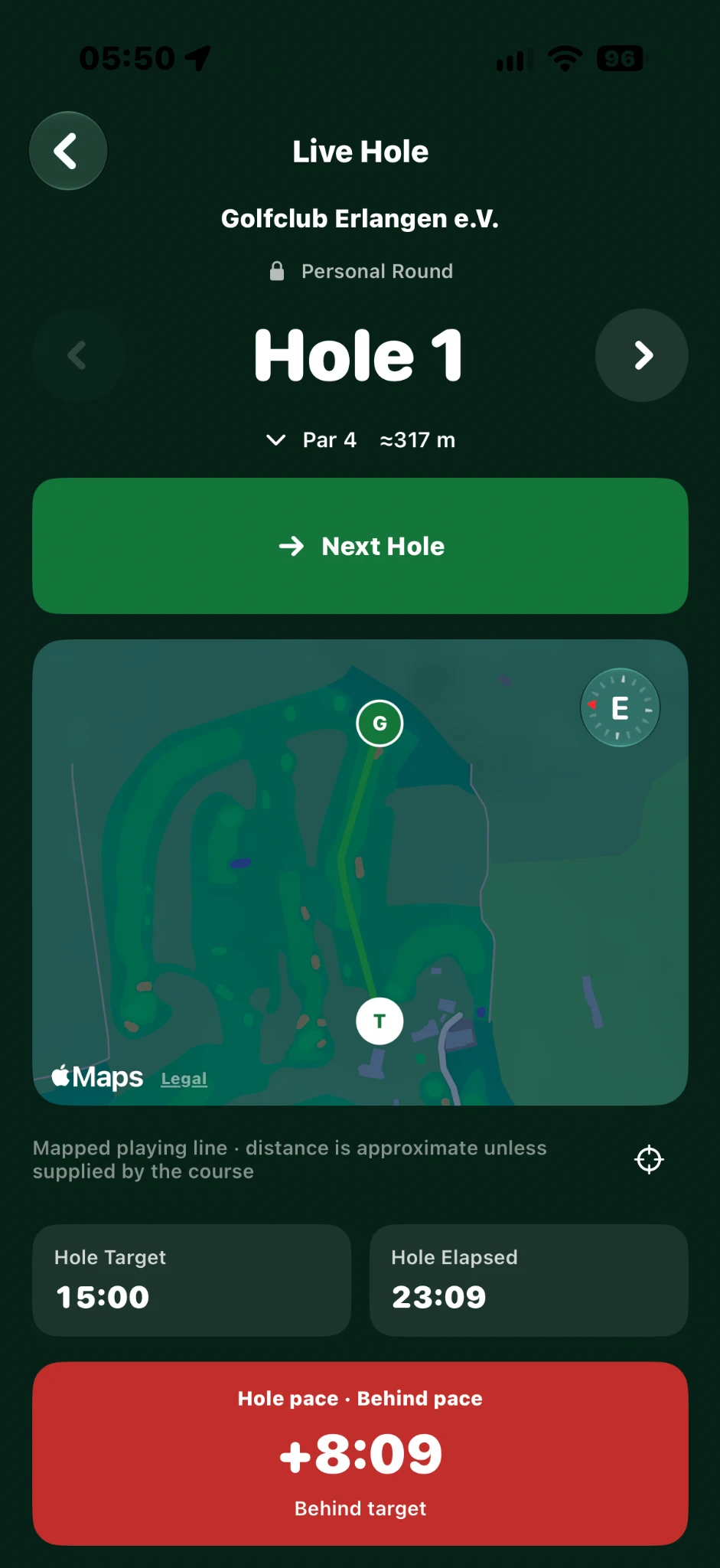
Original field-test captures from 30 September 2026. Apple Maps / Legal remain visible.
GOLFTAKT PLAYER · LIVE HOLE
The hole map, target time and elapsed time stay together. Amber and red show pace deviations during your round.
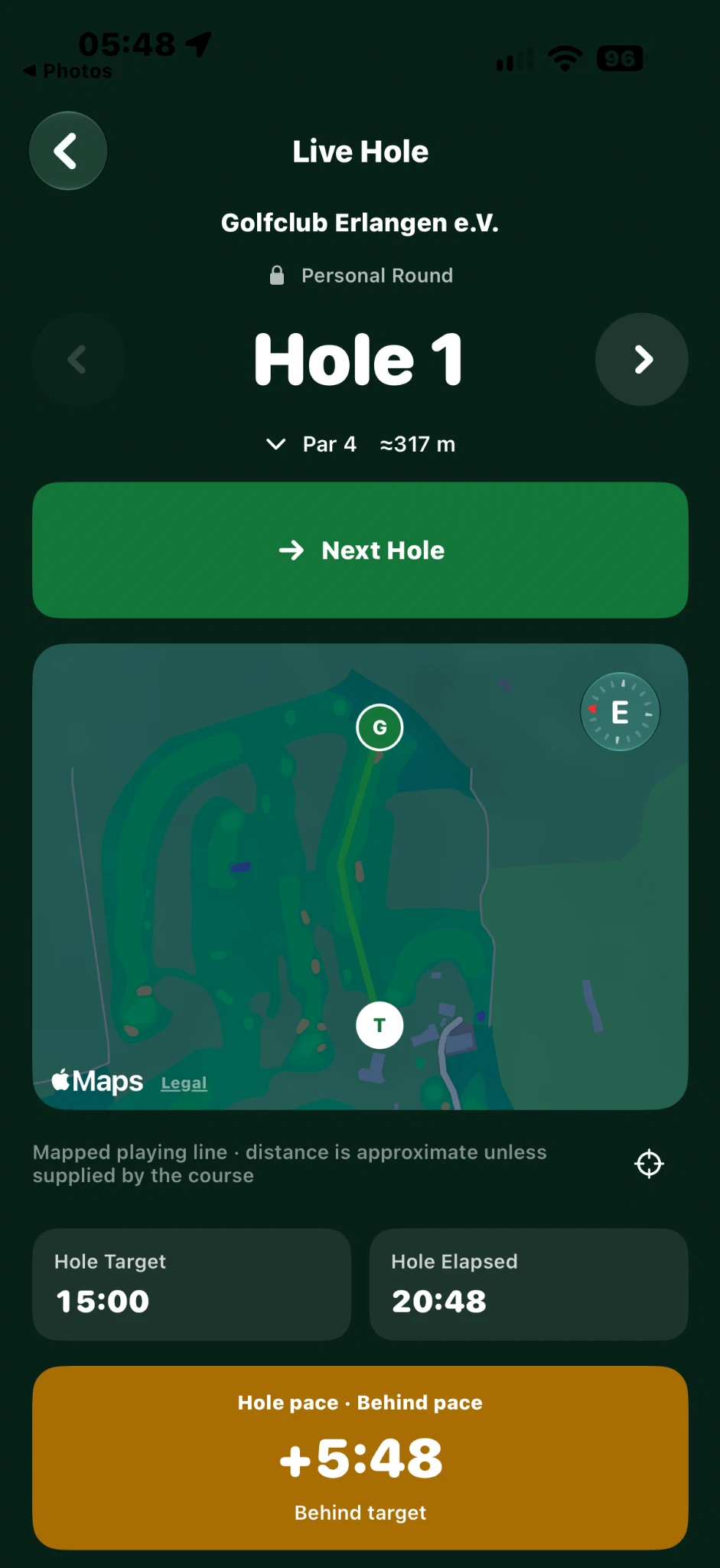
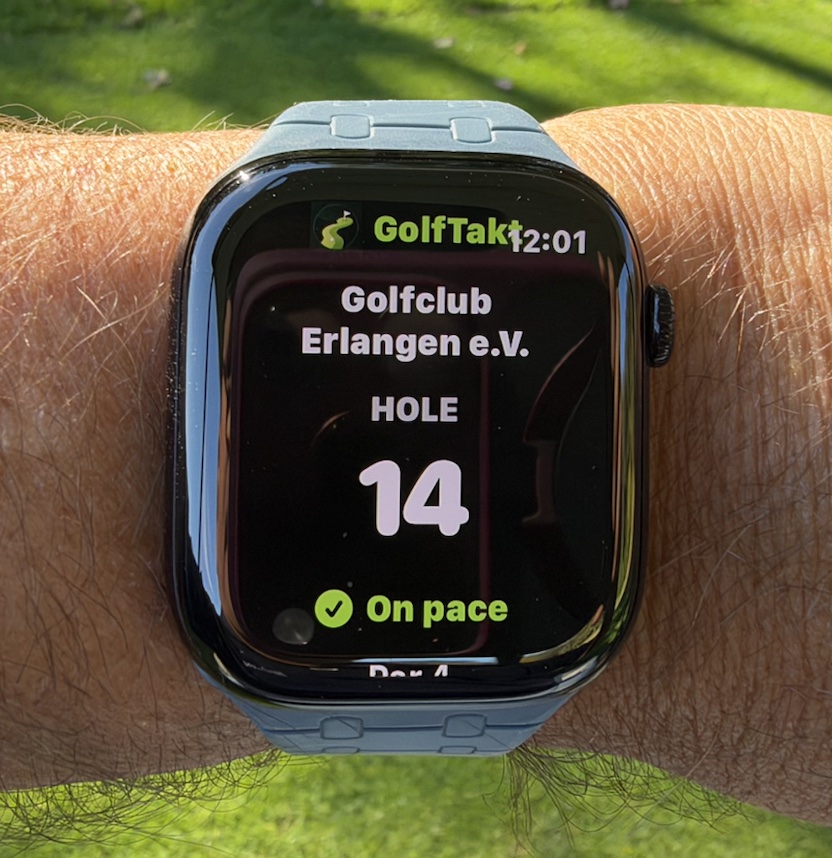
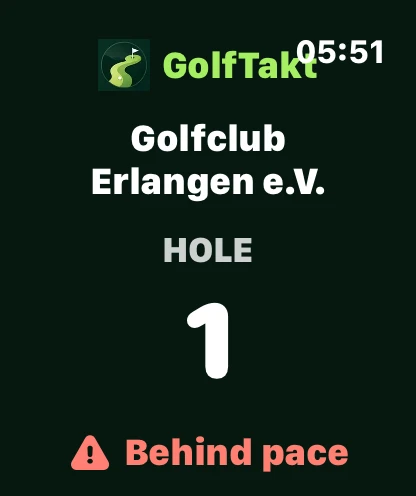
GOLFTAKT PLAYER · ON YOUR WRIST
GolfTakt on Apple Watch, photographed during the round in Erlangen.
Field test · 30 September 202605 / FOR CLUBS
Managers and marshals see participating groups in the browser. The course map, progress, pace and connection status help teams understand the situation and act with focus.
See groups and positions in the context of the course layout.
Review pace differences and GPS status. Signals support your team’s judgement.
Use existing manager and marshal workflows to respond to developments on the course.
The existing simulation uses example data and may still show the previous interface.
06 / ANONYMOUS BY DESIGN
For the club view, the round matters: an anonymous identifier, progress and pace. No name, email address or personal golfer profile for the club.
The service processes technical session identifiers and round data. A random, persistent installation identifier is pseudonymous and can technically link rounds. “Anonymous” does not mean that no data is processed.
GPS support requires location permission and is limited to the active round. Player also transmits derived round data when no club is connected.
07 / FITS YOUR CLUB
GolfTakt complements your course operations. Your club does not need to replace its booking or management software for participating rounds to appear in Operations.
Tee-time and tee-sheet workflows are an optional Pro extension. Interfaces, provider compatibility and setup are reviewed with the club. They are not a prerequisite for Live Groups.
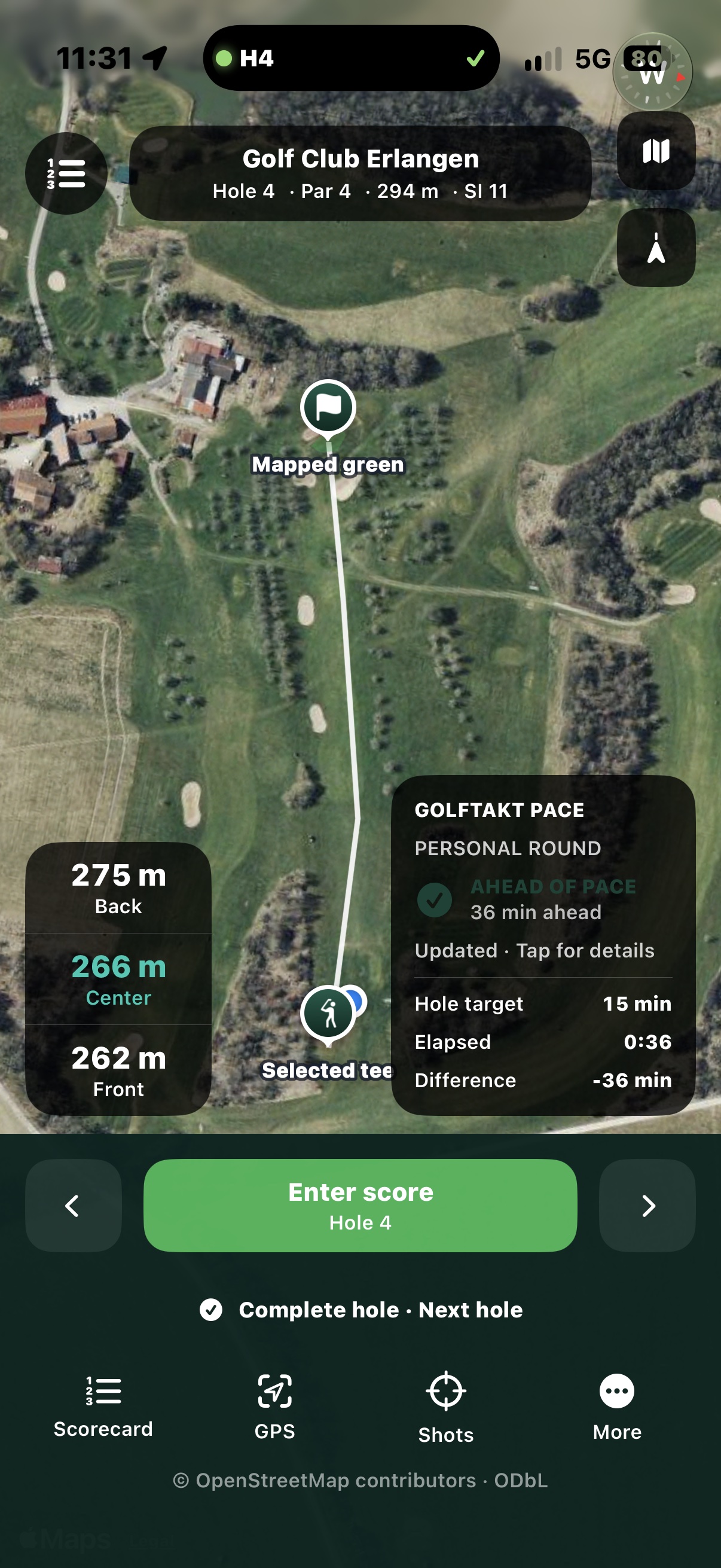
GOLFTAKT API · INTEGRATION EXAMPLE
This test capture shows GolfTakt pace information inside TeeTreff’s course view: pace status, hole target and elapsed playing time alongside the GPS map.
A concrete integration example. Availability, API access and provider connections are reviewed separately.
TeeTreff brings golf GPS and scoring together with GolfTakt pace information during the round.
08 / OPERATIONS PLANS
We discuss a demo, trial and terms for your course. No public prices are listed; request an individual quote.
LIVE GROUPS FIRST
The operational foundation.
OPTIONAL EXTENSION
More depth for club operations.
API & CUSTOM CONNECTIONS
For custom integration requirements.
09 / TRY GOLFTAKT
Let’s explore how GolfTakt fits your club, from course configuration to a guided trial.